Showing posts with label Scrapbook. Show all posts

Sunday, June 15, 2008

Post Link & Fill Captcha on The Same Page

This is a great Script Translated By Jerry !!

See this :


Now you can fill the Captcha before Posting any link in Scraps or Posts.
This means that we would not have to wait for the new page to load to fill the captcha we can do it before posting the Topic or Scrap.
Note : In case you are not posting any link in the scrap, Then there is no need to fill up the captcha

How to Use this Script :
First you need to have firefox.
After that install Geasemonkey.
Then Download and install the Scrap Less Captcha Script

Enjoy !!

Send a Single Scrap to All Your Friends !

Well there are many scripts and Softwares of doing this...But the one i am posting here is the best..as it's most convenient as well as it's the fastest available out there...

How To Use It
You need Firefox To use this Script...
After Installing Firefox Download and Install Greasemonkey on Firefox
Once Installed Just Install this Small Greasemonkey Script :
Scrap All Your Friends

Now whenever you want to send scraps to all your friends you just need to go to the following Link :
http://www.orkut.com/Scraps.aspx

That's It !!

Now Show Your Scraps and community Posts on your Profile

Well it's a very simple Procedure..You can now show your scraps and community posts on your Profile..

But First you need to make feed of your Scrap Or Community..

You can do this By These Methods :
Scrap to Rss Feed
Orkut Community Feed Beta
Community Feed

After that Copy the URL link to your Community/Scrapbook Feed...
Then Go to Edit Feed Page
and paste your community / Scrap book feed there...
It would be visible in your Profile..

Scrap All (With No Ads) - Send Pictures and Flash Files To All Your Friends With a Single Click!

Again this is a great Script for sending Scraps to all of your friends...The Older Version of this script is no longer working...In this Script you can even send HTML to your friends
To Use this you would require Firefox and Greasemonkey both Installed..


Method To Use It :

First Install Greaesemonkey Click Here
After that Install the Scrap All Friends Script
When You want to send scraps to all of your friends just go to this Link :
www.orkut.com/scrapall.aspx

For Internet Explorer users they can run this javascript in there adress bar :


Thanks

Add MSN and Yahoo Smileys to Your Posts

By Using this Trick you can add Yahoo as well as MSN Smileys in your scraps...But you can only post them in your friends scrapbook..

See the screenshot below :

METHOD :

You will need Firefox and Greasemonkey installed
After that Install the following scripts or anyone you like..

That's All

Enjoy !!!

Blinking Text

Want to paste blinking text in your scrapbook ????

Just go to your scrapbook and paste this script :


You can also write :

Scrap All - Without Any Ads

Now there are a lot of Scrap All friends containing an advertisement at the end of the scrap...


There are two ways to switch this off...

First is to use our Scrap All Script which is the oldest and also free from ads..

Second way is to disable adverisement from the current Scrap All scripts...


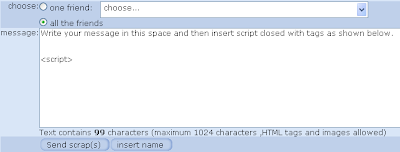
It is a very simple trick...in the message section when you have written your message body there just type <.Script> without "."

The advertisement would be disabled.... :)


Credit to OrkutPlus

Orkut Scrap All Virus

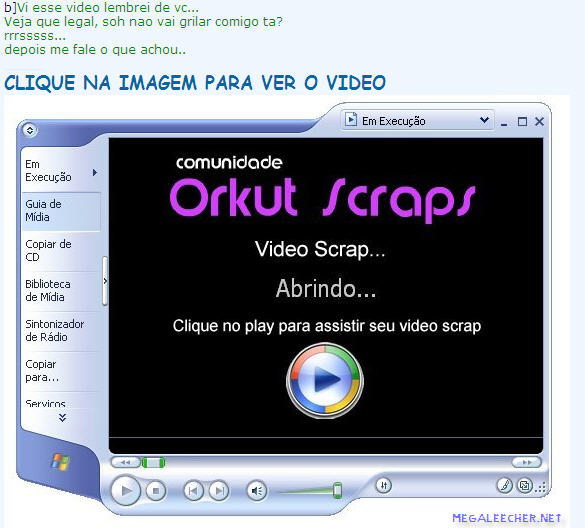
Orkut is getting targeted by a new Brazilian scrap virus, the virus infects users clicking on the above scrap message claiming to show some kind of video with the machine translated english version of the message below Updated(Thanks To Liens) :

this video remind me of you.
check how cool it is. but don't get mad at me, ok?
hahaha
tell me later what you thought about it

This virus that claimes to be a video is a .exe file which infects users computer and sends the same scrap to all your friends on Orkut, the virus installs "orkutkut.exe" and "imglog.exe" on the infected computer, the virus can easily be disabled by following the steps below:

  1. Kill both the process from the task manager (CTRL+SHIFT+ESC).
  2. Remove startup entries using msconfig.exe
  3. Delete the two above mentioned files from system32 folder.
Here is a screen shot :


To secure yourself from such threats never click on unknown links in your scrapbook

Orkut Scrap All Virus

Orkut is getting targeted by a new Brazilian scrap virus, the virus infects users clicking on the above scrap message claiming to show some kind of video with the machine translated english version of the message below Updated(Thanks To Liens) :

this video remind me of you.
check how cool it is. but don't get mad at me, ok?
hahaha
tell me later what you thought about it

This virus that claimes to be a video is a .exe file which infects users computer and sends the same scrap to all your friends on Orkut, the virus installs "orkutkut.exe" and "imglog.exe" on the infected computer, the virus can easily be disabled by following the steps below:

  1. Kill both the process from the task manager (CTRL+SHIFT+ESC).
  2. Remove startup entries using msconfig.exe
  3. Delete the two above mentioned files from system32 folder.
Here is a screen shot :


To secure yourself from such threats never click on unknown links in your scrapbook

ScrapBoy Version 2.0

Receive Instant notifications for new scraps
It's as simple as that. When you recieve a new scrap, Scrapboy will bring it to your desktop in the same way that you are used to with any other Messenger.


Send Instant Scraps from your Desktop

With Scrapboy you can send scraps from your desktop with the same convenience as writing an instant message.


Format Your Scraps
Now you can format your scrap easily. You can also look at Multiple scrapbooks at the same time. Add smileys and all that stuff by simple clicks

Access your FriendList more easily (Search through your friends)
well this is a great feature i like.. You can scroll through all your friends and also search your friends.

You can Block any friends scrap notification you want.

Navigate more easily
well here have a look at this :
See who is Online
Note: Scrapboy also will inform you of new friend requests, upcoming birthdays, as well as your fans.

See Other People Album

You can also scrap them without going to there profile

CONS:

Jotting down all the pros, was an easy task. Their website and testimonials helped me through. But the cons were what I knew I would have to dig for, yet were so very obvious.

  • First of all it was a heavy setup to download. I would not mind if it was worth it at the end of it.
  • While using scrapboy, you are not notified if a friend is online or not. By logging into your orkut account, there is a module that atleast gives you a clue which friends of yours were last online.
  • If you have grouped your friends on orkut, scrapboy does not reflect the same. It does not allow you to make new groups either.
  • There is no option to delete any scrap. If you receive any offensive scrap and would like to delete it, you need to login to orkut through your browser. If you need to delete your own scrap that u posted erroneously, again you need to login to orkut to delete that. Then why the hell do you need scrapboy!!
  • The software is slow and hangs up for few seconds while downloading new scraps. In all it’s a badly written software with many bugs around too.
  • I am not able to see any pictures in my scrapboy messenger. All i see is a no photo image :(
  • This software only shows me the first few scraps in my scrapbook when i click on View More... it just hangs up
  • You cannot send links through this software.. well I send a lot of links to my friends...but i can't do that using this software it gives an error.

Well there are many advantages of this But there are also disadvantages of using this software.
I would rather remain at orkutting then using this software..
Hope the next version is even better then this one.

Users interested in Scrapboy can download the program over here, and if anyone has any other suggestions (or in need of support), they can visit the official Scrapboy forum over here.

Orkut worm hits 500,000 + users

Orkut Virus which uses the same technique as this Orkut worm created by Rodrigo Narrates

The Portuguese language attack exploited a vulnerability in Orkut's scrapbook feature to post malicious JavaScript code on a user's page.

The worm, which was reported yesterday by McAfee Avert Labs, had gained ground by spreading quickly from friend to friend.

The worm was transmitted when members received malicious scraps written in Portuguese. When translated to English, one scrap read, "2008 is coming. I wish that it begins quite well for you."
On viewing the scrapbook post, the code performed the exploit and downloaded a .js file to the user's machine.

The worm then took control of the user's account, sending out copies of itself to all of the user's friends and joining a group called 'Infectados pelo Vírus do Orkut', which translates as 'Infected by Orkut virus'.

History of ScrapBook Flooder (Working Script)

Most people still asks me how they can increase there scrapbook count. I have already made many Topics about scrapBook Flooder and i am making one more to inform those who still don't know about scrapbook flooder.

What is a scrapBook Flooder ?
A scrapbook flooder is a tool used to increase your scraps or Scrapbook counts.

What type of Flooders are there ?
There are two types of Flooding Tools. One is the Javascraipt flooder and the other is the Flooding software

History Of Flooders
I now a lot about flooders but still i think i lack in a lot of things. If i am wrong anywhere Please do let me know and if you want me to add some more here you can put it in the comment below

At the very beginning there were Javascripts which would flood so fast that they could only increase the scrap count of your scrapbook and not the Scraps. People who flooded using these flooders could get a high scrap count with little time spend. But these people soon have to pay as Orkut refreshed there servers people all over orkut lost thousands of scrapcount and after that Orkut started refreshing there servers more and more regularly putting an end to these kind of Flooders.

After that there were new javascripts which increased the actual scraps rather then the scrap count. These flooders were a lot slower then the previous ones. People were still happy with these but Orkut came back again and much harder as Orkut implemented a limit on the number of scraps which a person could send in a specific period of time. At start people were able to flood around 500 scraps during one round of there flooder and after that there account became blocked for around half an hour.

For this reason people started making new flooders. Few months after the limitations people made new flooding softwares which could flood using many profiles. You just have to feed your fake accounts Log In and Password into these flooders and they would start flooding your account using your fake accounts and would flood around 500 scraps and then would take a break for a small time and after that would start flooding again. They flooded simultaneously and alternatively using all of the accounts a person have. I remember people telling me that they have got 500 fake accounts so that they could flood as fast as they can and with out any errors. People even used to have Scrap Ranking.

Well good times don't last long. Soon Orkut being in beta changed there codes and after that keep changing them until 4 months ago when they finally changed the whole Template of Orkut. But still now few flooders are working. People were still flooding. New versions of the flooders keep on coming whenever orkut changed there codes.
Orkut kept on decreasing the limit of scraps one can do in a specific period and Now its less then 300 scraps in one flooding session and after that your accounts is blocked for more then 3 hours. Orkut then gave a final Blow to all the people who used to Flood. Orkut added a limitation to the number of scraps. See this screen shot :

People used to have many times more scrap then this. There were even challenges set to flood 1 million scraps in 24 hours but now the number of scraps orkut show are just 100,000 + . Well it was shocking and terrifying for all Orkut users who used to flood. I myself lost about half of my scrap count. This limitation by orkut put a real end to the flooding world. As people cant compete with one another on the number of scraps they have so what's the point to flood ?

How Orkut reacts to Flooders
Orkut have till now not taken any serious action against flooding. They could have stopped it years ago but they didn't. They took actions against flooding very late. Orkut currently have little chance of finding out if a person is flooding or not. So most people can still flood if they want and often even when Orkut finds out that someone is flooding they do not take it seriously. Unless the person is flooding in hundred thousands in which case Orkut is forced to take an action.

Method to Use it :

Go to the scrapbook you want to flood..
after that paste this flooder in your address bar(Where you write addresses of sites)
then click on Go or press Enter
The flooding will Start !!
To Stop the Script just click on the refresh Button or Close that Window !

Note :
I would take no responsibility of anything which happens to your Profile after using this flooder as Orkut have a strict policy against those who use flooders (Although they can hardly find who is using the flooder) But i can asure you that this flooder is not a cookie stealing / Hacking Script.
All the History and comments described above are my own and not of the Orkut officials. So there can me mistakes in these accountsContinue Reading This Topic.....

Voice in a Scrap

Most People use Orkut for Fun. While the others use it to meet friends and contact people. This Trick is only for those who are looking to have Fun On Orkut.

Well this is a great thing i found out on Orkut and i thought every person should get to use and know about this great tool.

Did you ever wondered on sending a Voice scrap using Orkut ??
orkut Underworld is here to help you send a voice message to your friends.. just for Fun

This trick would send a loud Shrieking voice to the other person.
This scrap would look invisible but as soon as the scrapboook opens there would be a loud shriek. which can of coarse surprise or even scare your friends

How To Use This Shrieking Voice :

  • Go To the ScrapBook You want to Post The Shrieking Voice in
  • Yo can only post it to those who are your friends
  • Copy the Javascript below
  • Paste it into the scrapbook and press Submit
  • It would appear as invisible but there would be a sound coming from your speakers

Continue Reading This Topic.....